


The 5 Warning Signs Your QuickBooks Online File Needs a Cleanup (Before Tax Season Finds It)

Updated: Jun 14
You know that sinking feeling when your CPA asks for your financial reports, and you realize your QuickBooks file looks like a closet you've been tossing stuff into for months?
If you're running a busy service business, messy books aren't just embarrassing, they're expensive. Tax season exposes every shortcut, every "I'll fix that later," and every bank feed you let pile up. And if you're pursuing a loan, bringing on investors, or prepping for an audit, those little QuickBooks issues suddenly become big credibility problems.
The good news? Most QuickBooks messes follow a pattern. If you know what to look for, you can spot trouble before your accountant does (or before the bank asks for clean financials and you realize you can't produce them).
Here are the five warning signs that your QuickBooks Online file needs a professional cleanup, and what each one is costing you.
1. Your "Undeposited Funds" Account Has a Balance That Makes You Nervous
Open your Balance Sheet. Now look at the "Undeposited Funds" line.
If that number is big, like, multiple months' worth of revenue big, you've got a classic cleanup issue on your hands.
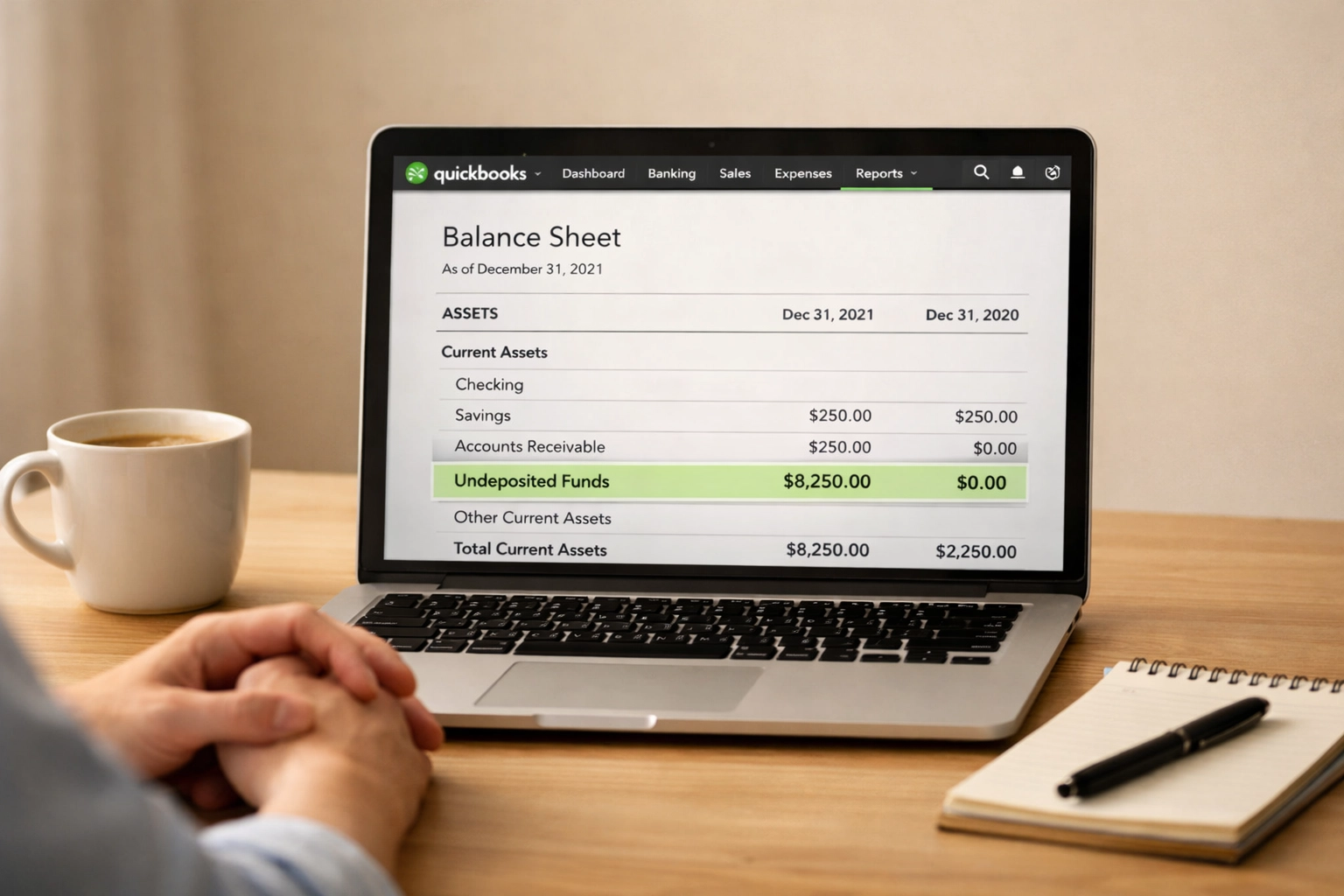
Here's what's happening: QuickBooks uses "Undeposited Funds" as a holding account when you record a payment from a customer. It's supposed to clear out when you match that payment to a bank deposit. But if you're clicking "Add" instead of "Match" when the deposit shows up in your bank feed, QuickBooks thinks you received the money twice. Your income is doubled, your Undeposited Funds balance grows, and your reports are wildly wrong.
Why this matters for service businesses: If you bill clients via invoice and accept ACH, credit card, or check payments, this is one of the easiest ways to inflate your revenue. That means you might be overpaying taxes, or, worse, showing fake revenue to a lender who's evaluating your loan application. Neither ends well.
The fix: A cleanup reconciles every dollar in Undeposited Funds back to actual deposits, deletes duplicate entries, and retrains your process so it doesn't happen again.
2. You've Got a Giant "Uncategorized Expense" or "Ask My Accountant" Balance
Pop quiz: What's in your "Uncategorized Expense" account right now?
If the answer is "I have no idea," you're not alone. This is one of the most common messes we see in service-based businesses, especially ones that grew fast and didn't have time to categorize every transaction as it came through.
When QuickBooks doesn't know where to put a transaction, it dumps it into "Uncategorized Expense," "Uncategorized Income," or the wonderfully vague "Ask My Accountant." If those accounts have big balances, it means no one actually knows what you spent money on, or what you earned it from.
Why this matters for service businesses: Let's say you're trying to figure out your true cost to deliver a project, or you want to see if your marketing spend is paying off. If half your expenses are sitting in "Uncategorized," your Profit & Loss report is useless. You're making decisions with incomplete data. And if a lender or auditor requests financials? They'll see those accounts and immediately question the integrity of your entire file.
The fix: A proper cleanup categorizes every transaction, splits entries that span multiple categories (like that Costco run where you bought office supplies and client gifts), and sets up rules so future transactions auto-categorize correctly.
3. You Can't Remember the Last Time You Reconciled Your Bank Accounts
Here's a question most business owners hate: When was the last time you reconciled your bank account in QuickBooks?
If you're thinking "Uhhh… maybe last year? Or the year before?": you've got a problem.
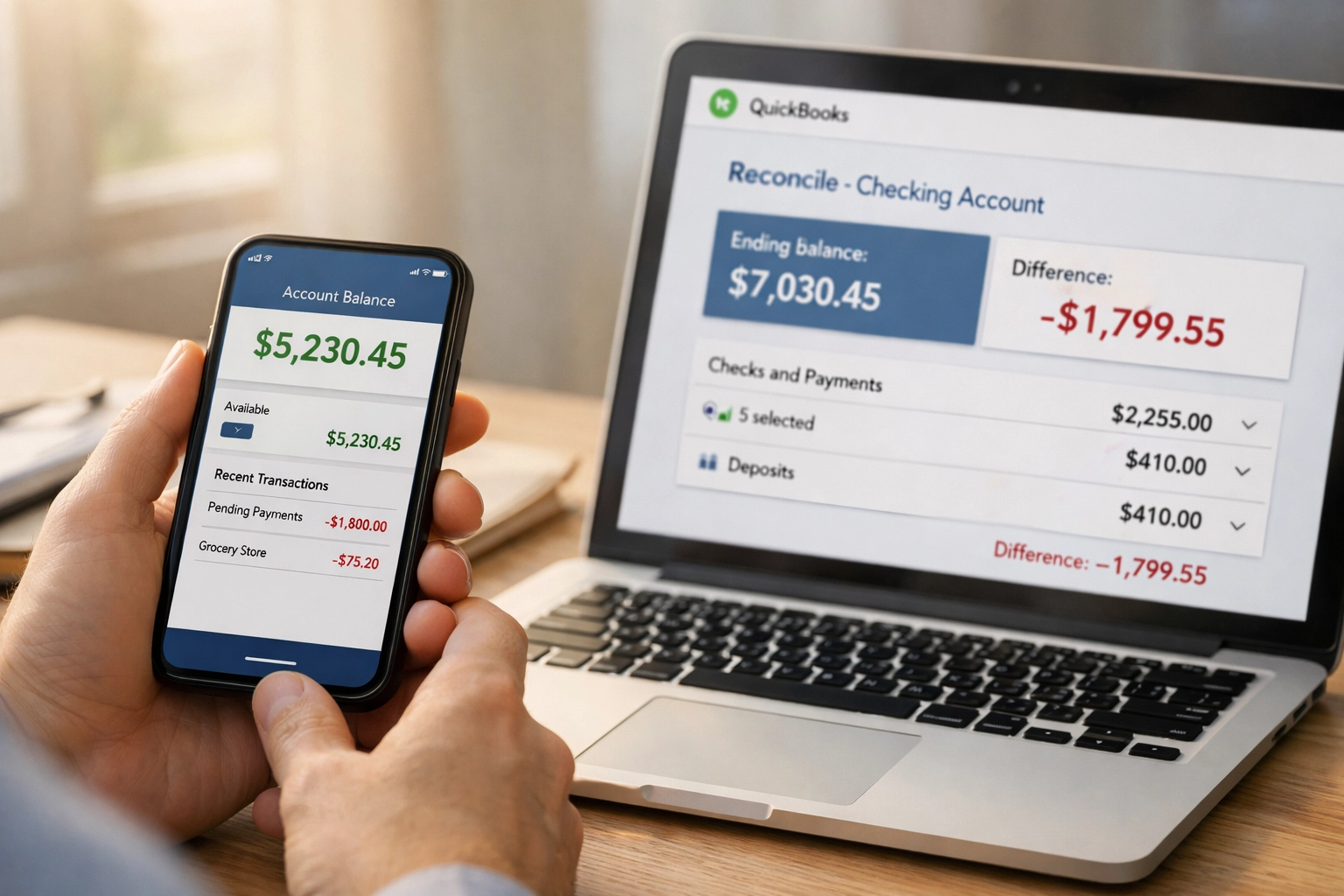
QuickBooks Online pulls in your bank transactions automatically, which feels like reconciliation. It's not. Reconciliation is when you compare your QuickBooks balance to your actual bank statement and make sure every single dollar matches. If you're not doing this monthly (at minimum), your books are probably wrong: you just don't know how wrong yet.
Why this matters for service businesses: Unreconciled accounts hide duplicate transactions, missed payments, bank fees you forgot to record, and transfers between accounts that got entered twice. If your books say you have $50K in the bank but your actual balance is $38K, that's a $12K problem you're about to discover at the worst possible moment: like when you're trying to make payroll or a client payment bounces.
The fix: A cleanup reconciles every bank and credit card account back to the last known good date (or to the beginning, if necessary). It hunts down discrepancies, fixes duplicates, records missing transactions, and gives you a clean starting point so your monthly reconciliations actually work going forward.
4. You've Got Mystery Transactions, Duplicates, and Entries That Don't Make Sense
Open a few months of transactions in QuickBooks. Be honest: Do you understand every single one?
If you're seeing duplicates, mystery transfers labeled "Owner," vendor payments that don't match your records, or expenses coded to revenue accounts (or vice versa), your data integrity is shot.
This happens when multiple people have access to QuickBooks without clear processes, when someone "fixed" something without understanding double-entry accounting, or when old data imported incorrectly and no one ever went back to clean it up.
Why this matters for service businesses: Bad data leads to bad decisions. If your reports show you're profitable but you're actually losing money because expenses are coded wrong, you'll keep operating the same way until you run out of cash. And if you're applying for a line of credit or preparing for an acquisition, those inconsistencies will tank your credibility fast.
The fix: A deep cleanup audits your transaction history, removes duplicates, re-codes errors, and implements user permissions and processes to prevent future chaos. It's tedious work, but it's the only way to trust your numbers again.
5. Your Financial Reports Don't Tell You Anything Useful
Pull up your Profit & Loss report right now. Does it give you a clear picture of where your money came from and where it went?
If you're staring at a report that's either too vague (one giant "Income" line, one giant "Expense" line) or too chaotic (200 different expense categories with $47 in each), your Chart of Accounts needs work.
A good Chart of Accounts is customized to your business. It groups income and expenses in ways that help you make decisions: like whether that new service line is profitable, or which client types have the best margins, or whether your overhead is creeping up.
Why this matters for service businesses: If you're scaling from $1M to $5M, you need reporting that shows you what's working. You need to see revenue by service line, cost of delivery by project type, and overhead broken out in a way that makes sense (not "Office Expense" with $100K in it). Without clean categories, you're flying blind.
The fix: A Chart of Accounts cleanup simplifies or expands your categories based on what you actually need to track, re-codes historical transactions to match, and sets up custom reports so you can see your numbers the way you need to see them.
What Happens If You Ignore These Warning Signs?
Here's the thing: messy books don't fix themselves. They get worse.
You'll overpay (or underpay) taxes because your income is wrong. You'll make bad hiring or spending decisions because your reports don't reflect reality. You'll lose financing opportunities because lenders see the mess and walk away. And when something goes sideways: an audit, a partnership dispute, a sale: you'll pay 10x more to fix it under pressure than you would have if you'd cleaned it up proactively.
Tax season has a way of exposing every crack in your QuickBooks file. The question is: do you want to deal with it before your CPA calls, or after?
Ready to Get Your Books Audit-Ready?
If any of these warning signs hit home, you're not alone: and you don't have to fix it yourself.
At QBO Cleanups, we specialize in taking messy QuickBooks Online files and transforming them into clean, accurate, audit-ready books that you (and your CPA, and your lender) can actually trust. Whether you need a one-time deep cleanup or ongoing monthly bookkeeping to keep things tight, we've got you.
Let's get your QuickBooks file in shape before tax season (or your next financial deadline) finds the mess for you.
Schedule a discovery call and let's talk about what's going on in your file: and how we can fix it.


Comments